

Professional Receipt Printing Made Simple
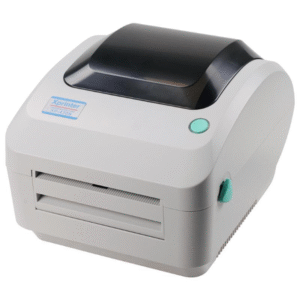
The EPOS Eco 250 Thermal Receipt Printer represents the perfect intersection of reliability, speed, and affordability for businesses seeking to streamline their transaction processes. Designed for retail environments, restaurants, and service-based businesses, this robust thermal printer delivers crisp, professional receipts with remarkable efficiency that keeps your checkout lines moving and your customers satisfied.
In today’s fast-paced retail landscape, every second counts at the point of sale. The Eco 250 eliminates printing bottlenecks with its high-speed output while maintaining the print quality your business deserves. Whether you’re running a bustling café, a retail boutique, or integrating it into your complete POS system, this thermal printer handles high-volume printing demands without compromising performance.
The dual connectivity options—USB and LAN—provide flexibility that adapts to your specific business infrastructure. Connect directly to your AIO POS terminal via USB for a straightforward setup, or leverage the network port for shared printing across multiple stations. This versatility ensures the Eco 250 grows alongside your business needs.
Technical Specifications
Core Printing Capabilities:
- Print Method: Direct thermal printing (no ink or toner required)
- Print Speed: 250mm/second (exceptionally fast for high-volume environments)
- Resolution: 203 DPI (8 dots/mm) for sharp text and graphics
- Paper Width: 80mm (3.15 inches) standard receipt paper
- Paper Roll Diameter: Up to 83mm for extended printing between roll changes
- Character Font: Multiple font sizes (12×24, 9×17, 9×24 dots)
- Barcode Support: 1D and 2D barcodes including QR codes
- Auto-cutter: Built-in automatic paper cutter (partial cut, 1.5 million cuts lifespan)
Connectivity & Compatibility:
- USB Interface: USB 2.0 Type-B for direct computer connection
- LAN Interface: Ethernet RJ45 10/100Mbps network connectivity
- Driver Compatibility: Windows (XP/7/8/10/11), Linux, macOS
- ESC/POS Command Support: Universal compatibility with most POS software
- Power Supply: DC 24V, 2.5A adapter included
Physical Specifications:
- Dimensions: 200mm (W) × 145mm (D) × 135mm (H)
- Weight: Approximately 1.3kg
- Operating Temperature: 0°C to 50°C
- Storage Temperature: -20°C to 60°C
- Humidity: 10% to 80% (non-condensing)
- MTBF (Mean Time Between Failures): 360,000 hours
The EPOS Eco 250 integrates seamlessly with industry-standard thermal printer configurations, making it an ideal replacement or upgrade for aging receipt printers in your existing setup.
Key Benefits That Drive Business Value
Lightning-Fast Transaction Processing
At 250mm per second, the Eco 250 significantly reduces customer wait times at checkout. A standard receipt prints in approximately 1-2 seconds, which translates to serving more customers during peak hours. This speed advantage becomes critical during lunch rushes, holiday shopping seasons, or any high-traffic period where efficiency directly impacts revenue.
The quick response time between print command and paper output means your staff spends less time waiting for receipts and more time engaging with customers or processing the next transaction.
Cost-Effective Operation
Thermal printing technology eliminates the recurring expense of ink cartridges, toner, and ribbons that plague traditional impact printers. Your only consumable cost is the thermal paper itself, which is widely available and competitively priced. Over a year of operation, businesses typically save 60-70% on printing supplies compared to ink-based alternatives.
The energy-efficient design consumes minimal power during operation and features automatic sleep mode during idle periods, further reducing operational costs. When sourced from Novatech Technologies, you’re investing in a solution that pays for itself through reduced consumable expenses.
Network-Ready Flexibility
The integrated LAN port distinguishes the Eco 250 from entry-level USB-only models. Network connectivity allows multiple POS terminals or workstations to share a single printer, optimizing your hardware investment. This proves particularly valuable for businesses with multiple checkout counters or back-office printing needs.
Network printing also enables centralized management, making firmware updates and configuration changes simpler across your entire printing infrastructure. As your business expands and you add more routers or network equipment, the Eco 250’s Ethernet capability ensures seamless integration into increasingly complex network topologies.
Reliable Auto-Cutter Performance
The built-in automatic cutter delivers clean, professional cuts with each receipt. Rated for 1.5 million cuts, this mechanism handles years of demanding use without degradation. The partial-cut design leaves receipts attached by a small perforation, preventing them from falling behind the counter while making them easy for customers to tear away cleanly.
This automation eliminates the manual tearing process that slows transactions and creates inconsistent receipt edges, maintaining a professional appearance for every customer interaction.
Simple Paper Loading
The drop-in paper loading mechanism allows staff to replace rolls in seconds without threading paper through guides or complex paths. This user-friendly design minimizes training time for new employees and prevents the loading errors that cause paper jams and wasted receipts.
Clear visual indicators show paper levels, giving staff advance warning before rolls run out during busy periods.
Considerations and Limitations
Thermal Paper Fade Over Time
Direct thermal receipts gradually lose legibility when exposed to heat, sunlight, or certain chemicals. Receipts stored in hot vehicles or near heat sources may fade within months. For businesses where customers need long-term receipt retention (warranties, major purchases), this limitation requires customer education about proper receipt storage.
Unlike ink-based printing, thermal printing cannot produce permanent archival-quality documents. If your business requires long-lasting transaction records, consider implementing digital receipt options alongside paper printing.
80mm Width Limitation
The Eco 250 exclusively prints on 80mm (3-inch) paper, which is standard for most retail applications but may feel constrained for businesses needing to print detailed itemized receipts with multiple columns or extensive product descriptions. Restaurants with complex orders or retailers with promotional messages may need to optimize receipt layouts carefully.
Businesses printing kitchen tickets or multi-part forms should verify that 80mm width accommodates their formatting requirements before deployment.
Initial Paper Alignment Sensitivity
While the drop-in loading is generally straightforward, the Eco 250 occasionally requires careful paper alignment to prevent skewing during extended print runs. Staff should ensure paper feeds straight from the roll holder, particularly when using economy-grade thermal paper with inconsistent roll tension.
New users may experience one or two misfeeds during their first paper changes until they become familiar with proper loading technique.
Network Configuration Learning Curve
Setting up LAN printing requires basic networking knowledge to assign IP addresses and configure printer sharing. Businesses without IT staff may need external assistance for initial network integration. Once configured, operation is seamless, but the setup process presents a higher barrier than simple USB plug-and-play connectivity.
USB connectivity remains available as a fallback for businesses preferring simpler deployment.
Why the EPOS Eco 250 Stands Out
The EPOS Eco 250 occupies the sweet spot for small to medium businesses seeking professional-grade performance without enterprise-level complexity or cost. While cheaper alternatives exist, they typically sacrifice print speed, build quality, or connectivity options. More expensive models may offer marginally faster speeds or additional features that most businesses never utilize.
What makes the Eco 250 exceptional is its balance of essential features executed reliably. The 250mm/second speed handles genuine high-volume demands, the dual connectivity future-proofs your investment, and the robust auto-cutter ensures consistent performance through years of daily use.
For businesses serious about creating efficient checkout experiences and maintaining professional customer interactions, the EPOS Eco 250 from Novatech Technologies delivers dependable performance that justifies its investment from day one. Whether you’re upgrading aging equipment or building a complete point-of-sale solution, this thermal printer provides the reliability your business operations demand.




 No products in the cart.