


Hikvision DS-K1F820-F Fingerprint Enrollment Guide
Fingerprint enrollment on Hikvision DS-K1F820-F allows secure registration of user fingerprints for access control or attendance systems. This terminal supports high-accuracy fingerprint recognition with large capacity and fast matching. Novatech Technologies provides this guide and the reliable Hikvision DS-K1F820-F to help installers and administrators complete fingerprint enrollment quickly and correctly for professional biometric deployments.
Proper fingerprint enrollment ensures accurate identification and minimizes false rejections. Follow the steps below carefully for best results.
Fingerprint Enrollment Process for DS-K1F820-F
- Access the Enrollment Menu Enter administrator mode on the DS-K1F820-F device. From the main screen, press the Menu button or swipe an admin card. Navigate to User Management > Add User or Fingerprint section.
- Select or Create User Choose an existing user or add a new one. Enter user details (name, ID number, card number if applicable). Select Fingerprint as the credential type.
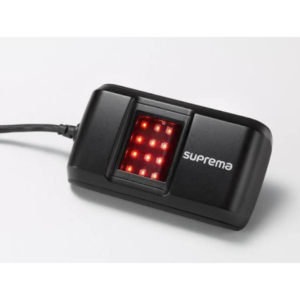
- Position the Finger Place the enrolled finger flat on the scanner surface. Use the center of the finger pad (not the tip or side). Apply even, moderate pressure without sliding.
- Scan the Fingerprint The device prompts to press the finger multiple times (usually 3–6 scans per finger). Change finger angle slightly between each press to capture different ridge details. Enroll 2–3 fingers per user for better reliability (recommended: index, middle, thumb).
- Verify Enrollment Quality The terminal displays a quality score or progress bar after each scan. Aim for high-quality scans (green/high score). If quality is low, clean the finger and scanner, then repeat.
- Complete and Save After successful scans, press OK/Confirm. Assign access levels, time zones, or linked cards if required. Save the user profile.
- Test the Enrollment Exit admin mode and test fingerprint verification. Place the same finger on the scanner. Successful match grants access; failure may require re-enrollment.
Best Practices and Troubleshooting for Fingerprint Enrollment
- Clean the Sensor: Wipe the fingerprint scanner with a soft, dry cloth regularly. Avoid liquids or abrasive materials.
- Dry Fingers: Wet or oily fingers reduce accuracy. Dry hands before scanning.
- Multiple Fingers: Enroll at least 2 fingers per user to handle injuries or dry skin.
- Enrollment Environment: Perform enrollment in a stable, well-lit area with consistent temperature.
- Low Quality Scans: If enrollment fails repeatedly, try a different finger or clean both finger and sensor.
- Capacity: The device supports thousands of fingerprints (exact number varies by model/firmware).
- Firmware Update: Ensure the latest firmware is installed for optimal recognition accuracy.
Technical Notes on DS-K1F820-F Fingerprint Enrollment
- Fingerprint Sensor: Optical, high-resolution
- Fingerprint Capacity: Up to 10,000 (typical for series)
- Matching Time: <0.5 seconds (1:N)
- False Acceptance Rate: ≤0.001%
- False Rejection Rate: ≤0.1%
- Communication: TCP/IP, RS-485, Wiegand
- Power Supply: 12 VDC
- Protection: IP65 (select models)
- Operating Temperature: -10 °C to +50 °C
For detailed wiring and protocol information, refer to official Hikvision access control documentation. Learn more about biometric standards at https://en.wikipedia.org/wiki/Fingerprint_recognition. Explore MIFARE and fingerprint technology basics here: https://www.mifare.net/en.
View compatible access control panels in our networking category. Shop the full range at Novatech Technologies.
Why Trust Novatech for Hikvision Access Control Products
Novatech Technologies sources genuine Hikvision products through authorized channels. Every device undergoes quality verification before shipment.
Each DS-K1F820-F fingerprint terminal purchase includes protection against manufacturing defects. Technical support assists with enrollment procedures, wiring, configuration, and troubleshooting. Nationwide delivery reaches customers via trusted logistics partners.
Secure payment methods ensure a smooth transaction. A clear return policy covers any rare concerns about product condition upon receipt.
Choose the Hikvision DS-K1F820-F from Novatech for fast, accurate fingerprint enrollment, high capacity, smart multi-factor authentication, robust IP65 protection, and seamless integration into access control systems. This device offers reliable biometric verification, easy user management, durable construction, and professional performance for effective security.





 No products in the cart.