


MacBook A1398 Screen Replacement
MacBook A1398 Screen Replacement revives the high-resolution Retina display on your powerful 15-inch MacBook Pro. This complete assembly fixes common display failures effectively. It includes the LCD panel, integrated FaceTime HD camera, cables, hinges, and clutch cover. Users in Kenya restore sharp visuals and reliable performance affordably.
Drops shatter the cover glass often. Age leads to backlight dimming or failure. Dead pixels, lines, or color inconsistencies develop gradually. Replace the full assembly for uniform brightness and clarity. It matches Apple’s original Retina standards precisely.
The glossy Retina display delivers exceptional detail. LED backlight provides even illumination. Native high resolution ensures pixel-perfect images. Colors render vibrantly with support for millions of colors and wide viewing angles.
Compatibility covers MacBook Pro 15-inch Retina models with identifier A1398 from Mid 2012 through Mid 2015. Specific years include Mid 2012 (EMC 2557), Early 2013 (EMC 2674), Late 2013 (EMC 2876), Mid 2014 (EMC 2881), and Mid 2015 (EMC 2909/2910). Note that displays differ slightly by year; 2015 models use unique cabling and are not interchangeable with earlier ones. Confirm your exact year and EMC number via About This Mac or bottom case markings. The connector is typically LVDS or eDP with varying pin configurations (e.g., 12-pin camera in later models).
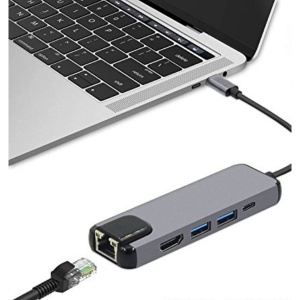
Post-replacement, peripherals connect seamlessly. Thunderbolt 2 or HDMI extends to external monitors. USB ports support drives. Bluetooth pairs accessories instantly. Wireless networks function reliably.
Use Cases for MacBook A1398 Screen Replacement
This replacement supports intensive computing needs. It enhances visual quality in demanding scenarios.
Professional Productivity
Users edit large files with fine precision. The Retina screen aids accurate work. External outputs improve workflow efficiency.
Educational Applications
Learners view detailed materials clearly. High resolution boosts readability. It facilitates research and presentations.
Campus Mobility Advantages
Students transport devices reliably. Clear display supports lectures or study groups. Detailed visuals enhance focus.
Creative Processes
Designers handle media accurately. Glossy finish shows true colors. It suits photo and video editing.
Media Consumption
Households stream content crisply. Widescreen format fits entertainment. Brightness adjusts to lighting conditions.
Viewing Flexibility
Enjoy videos at native resolution. IPS technology maintains angles. LED backlight delivers consistent performance.
Compatibility Details of MacBook A1398 Screen Replacement
Match hardware precisely for integration. Verify details before ordering.
Model Year Variants
Supports MacBook Pro 15-inch Retina Mid 2012 to Mid 2015 (A1398). Aligns with EMC numbers like 2557, 2674, 2876, 2881, 2909/2910. Year-specific compatibility is critical.
Resolution Standard
Native 2880 x 1800 pixels Retina. Pixel density at 220 ppi. Scaled resolutions available.
Connector Variations
Uses LVDS or eDP interface. Camera connector varies (e.g., 6-pin early, 12-pin later). Hinges secure firmly.
Peripheral Options
Thunderbolt 2 for displays. HDMI port direct. USB 3.0 for accessories.
Browse our laptops for full devices. Pair with monitors like the HP Series 5 23.8-inch FHD Monitor.
Technical Specifications
Review these attributes. They align with Apple standards across A1398 models.
Display Core Features
Screen Size — 15.4 inches diagonal.
Resolution — 2880 x 1800 pixels native Retina.
Panel Type — LED-backlit glossy IPS LCD.
Performance Metrics
Pixel Density — 220 pixels per inch.
Brightness — Approximately 300 nits.
Color Support — Millions of colors.
Build Elements
Finish — Glossy surface.
Backlight — Efficient LED diodes.
Assembly Details
Connector — LVDS/eDP with year-specific pins.
Compatible Models — MacBook Pro A1398 Mid 2012–Mid 2015 (various EMCs).
Included Components — LCD panel, FaceTime HD camera (720p), hinges, cables, clutch cover.
Installation Notes
Tools — Pentalobe screwdrivers, suction cup, pry tools required.
Weight Impact — Maintains balanced design.
These ensure Retina sharpness and compatibility.
Refer to Apple Support for official specs. Follow guides on iFixit.
Installation Guide for MacBook A1398 Screen Replacement
Execute steps carefully. Professional help recommended.
Preparation Phase
Gather tools and anti-static mat. Back up data. Shut down device.
Disassembly Steps
Remove bottom screws. Lift display gently. Disconnect display cable, camera cable, and others.
Cable Precautions
Document positions. Avoid flex cable damage.
Assembly Fitting
Align new unit with hinges. Secure cables firmly. Test before closure.
Final Testing
Power on MacBook. Verify resolution and brightness. Calibrate display. Address issues early.
This prolongs your MacBook’s life. It restores Retina excellence.
Enhance with computer accessories.
Why Trust Novatech
Novatech Technologies supplies genuine-quality parts in Kenya. We test assemblies rigorously. MacBook A1398 Screen Replacement includes warranty. Nairobi team offers support. Experts guide repairs. Visit Novatech Technologies confidently. Trust a reliable source.
Explore MacBook insights on NotebookCheck.









 No products in the cart.