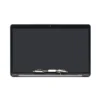
MacBook A2141 Grey Screen Replacement
MacBook A2141 Grey Screen Replacement revives the immersive Retina display on your powerful 16-inch MacBook Pro. This complete assembly repairs cracked or faulty screens effectively. It includes the LCD panel, integrated FaceTime HD camera, cables, hinges, and clutch cover in Space Grey finish. Users in Kenya restore sharp visuals and reliable performance quickly.
Drops shatter the cover glass commonly. Wear causes backlight dimming or uneven lighting. Dead pixels, lines, or color shifts appear gradually. Replace the full assembly for uniform brightness and clarity. It matches Apple’s original Retina standards exactly.
The glossy Retina display offers exceptional detail. LED backlight ensures consistent illumination. Native high resolution provides pixel-perfect sharpness. Colors render vibrantly with Wide color (P3) gamut and True Tone support.
Compatibility targets MacBook Pro 16-inch models with identifier A2141 from 2019. It fits EMC 3347 and MacBookPro16,1 or MacBookPro16,4 variants depending on GPU configuration. This covers Space Grey models like MVVL2LL/A, MVVM2LL/A, and similar part numbers. Confirm your EMC via About This Mac or bottom case markings. The display connector aligns precisely with integrated cabling for this model.
Post-replacement, peripherals connect smoothly. Thunderbolt 3 ports extend to external displays up to 5K. HDMI supports additional monitors. USB-C handles accessories. Bluetooth pairs devices instantly. Wi-Fi connectivity remains stable.
Use Cases for MacBook A2141 Grey Screen Replacement
This replacement suits intensive creative and professional tasks. It enhances visual quality in demanding scenarios.
Professional Productivity
Users manage large projects with fine detail. The Retina screen supports accurate editing. Multiple external display options boost efficiency.
Creative and Media Work
Creators edit videos and photos precisely. Wide color gamut excels in color-critical workflows. It handles graphic design and post-production effectively.
Studio Flexibility
Professionals rely on portable high-resolution visuals. True Tone adjusts to lighting. Sharp output aids detailed tasks.
Advanced Educational Use
Learners view complex diagrams clearly. High resolution improves readability. It supports simulations and research.
Entertainment Consumption
Households enjoy videos crisply. The widescreen format fits media. Brightness adapts to environments.
Immersive Viewing
Stream at native resolution. IPS technology preserves angles. LED backlight delivers consistent performance.
Compatibility Details of MacBook A2141 Grey Screen Replacement
Match hardware exactly for seamless integration. Verify before ordering.
Model Coverage
Fits MacBook Pro 16-inch 2019 (A2141, EMC 3347). Aligns with MacBookPro16,1 or MacBookPro16,4 identifiers. Encompasses Space Grey variants.
Resolution Standard
Native 3072 x 1920 pixels Retina. Pixel density at 226 ppi. Supports scaled resolutions.
Connector Interface
Uses integrated display connector specific to 2019 model. Includes camera cable and antenna. Hinges secure in Space Grey enclosure.
Peripheral Options
Thunderbolt 3 for external monitors. HDMI port. Bluetooth for wireless inputs.
Browse our laptops category for alternatives. Pair with monitors like the HP Series 5 23.8-inch FHD Monitor.
Technical Specifications
Review these attributes. They align with Apple factory standards for the 2019 16-inch model.
Display Core Features
Screen Size — 16 inches diagonal.
Resolution — 3072 x 1920 pixels native Retina.
Panel Type — LED-backlit glossy IPS LCD.
Performance Metrics
Pixel Density — 226 pixels per inch.
Brightness — 500 nits.
Color Support — Wide color (P3), millions of colors with True Tone.
Build Elements
Finish — Glossy surface.
Backlight — Efficient LED diodes.
Assembly Specs
Connector — Integrated display interface.
Compatible Models — MacBook Pro A2141 2019 (EMC 3347).
Included Components — LCD panel, FaceTime HD camera (720p), hinges, cables, clutch cover in Space Grey.
Installation Notes
Tools — Pentalobe screwdrivers, suction cup, pry tools required.
Weight Impact — Maintains balanced premium design.
These ensure authentic Retina performance.
Refer to Apple Support for official details. Follow step-by-step guides at iFixit.
Installation Guide for MacBook A2141 Grey Screen Replacement
Proceed with care during replacement. Professional assistance recommended.
Preparation Phase
Gather tools and anti-static mat. Back up data fully. Power off and unplug.
Disassembly Steps
Remove bottom case screws. Lift display assembly carefully. Disconnect display cable, camera cable, and flex connectors.
Cable Precautions
Document connector positions. Handle flex cables gently.
New Assembly Fitting
Align hinges precisely. Reconnect cables securely. Test display before closing.
Final Verification
Power on the MacBook Pro. Confirm resolution and brightness. Calibrate display if needed. Troubleshoot promptly.
This method extends device longevity. It restores full Retina capabilities.
Add computer accessories from our selection.
Why Trust Novatech
Novatech Technologies delivers tested replacement assemblies in Kenya. We ensure compatibility and quality. MacBook A2141 Grey Screen Replacement includes warranty coverage. Nairobi team provides local support. Experts offer guidance. Visit Novatech Technologies confidently. Trust a reliable provider.
Learn more MacBook repair insights on NotebookCheck.







 No products in the cart.