MacBook Air M1 A2337 Gold Screen Replacement
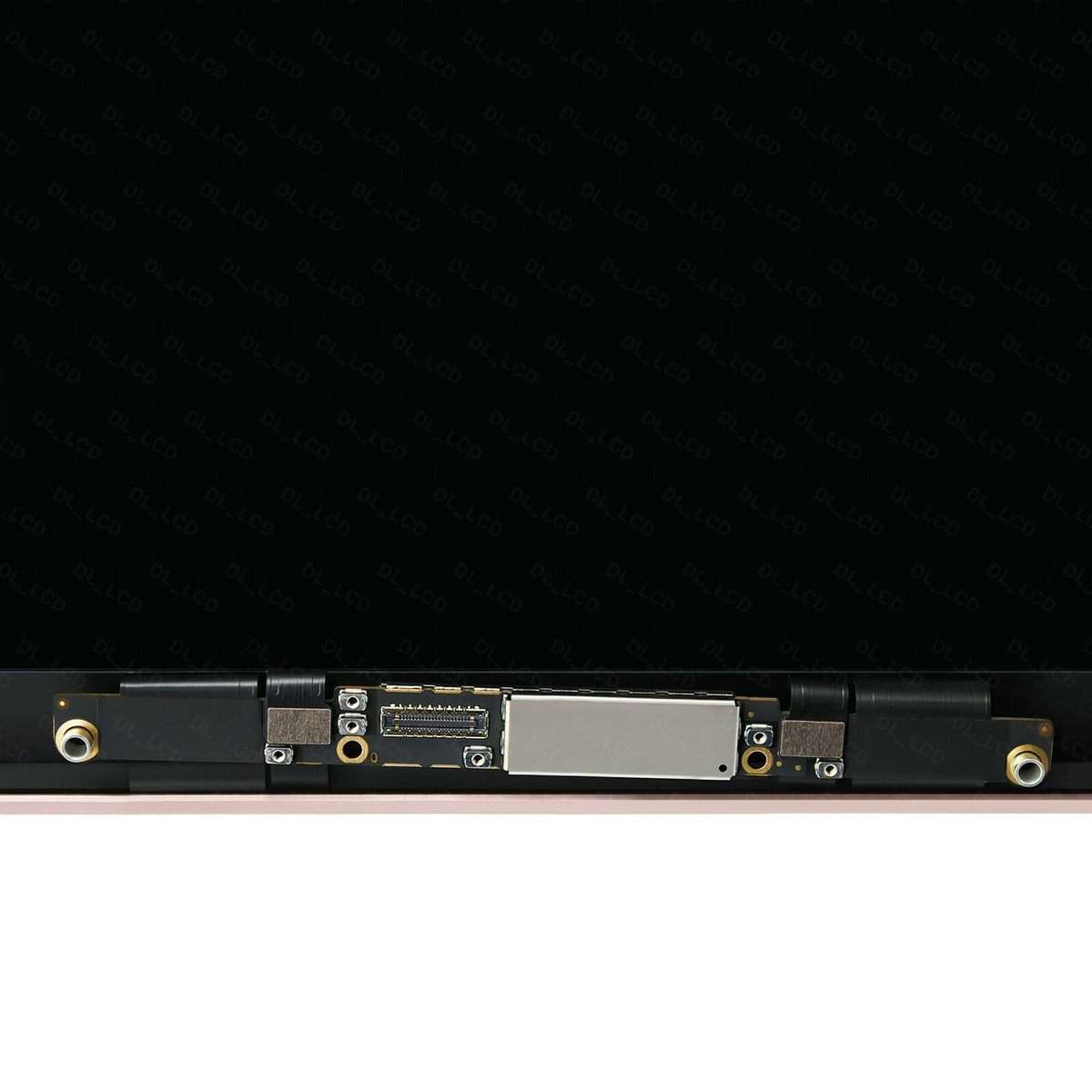
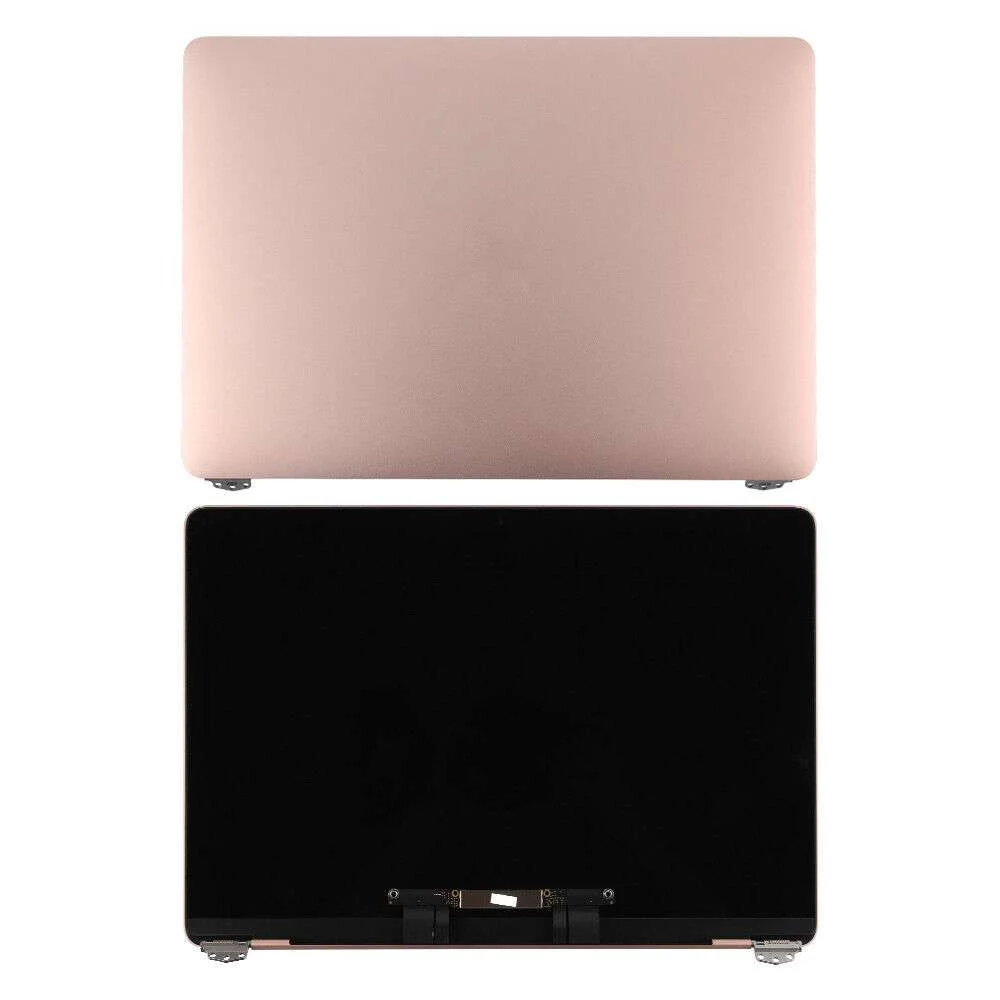
MacBook Air M1 A2337 Gold Screen Replacement revives the crisp Retina display on your lightweight, high-performance laptop. This full assembly resolves common screen defects efficiently. It includes the LCD panel, integrated FaceTime HD camera, cables, hinges, and clutch cover in Gold finish. Users in Kenya repair damaged or failing displays with confidence.
Falls frequently break the cover glass. Long-term use causes backlight dimming or patchiness. Pixel dropout, horizontal lines, or color washout occur progressively. Replace the entire assembly for even brightness and razor-sharp detail. It conforms exactly to Apple’s original Retina quality.
The glossy Retina display produces superb clarity. LED backlight generates uniform illumination. Native high resolution delivers pixel-perfect rendering. Colors shine vibrantly with Wide color (P3) gamut and broad viewing angles.
Compatibility focuses on MacBook Air 13-inch models with M1 chip, identifier A2337 from Late 2020. It aligns with EMC 3598 and MacBookAir10,1 model ID. This covers Gold configurations such as MGN53LL/A, MGN73LL/A, and matching part numbers. Confirm your EMC number in About This Mac or on the bottom case. The integrated display connector and cabling match the M1 platform perfectly.
After installation, connect peripherals smoothly. Thunderbolt / USB 4 ports drive external displays up to 6K. USB-C supports accessories. Bluetooth connects devices instantly. Wi-Fi performance stays consistent.
Use Cases for MacBook Air M1 A2337 Gold Screen Replacement
This replacement serves many common activities. It upgrades visual quality across different situations.
Professional Productivity
Users review files with fine precision. The Retina screen supports detailed editing. External display extension increases efficiency.
Educational Environments
Learners read content clearly. High resolution enhances legibility. It facilitates virtual classes and project work.
Mobile Learning Benefits
Students count on portable sharpness. Detailed visuals assist in lectures or study groups. Clear display promotes better attention.
Creative Work
Designers manipulate visuals accurately. Glossy finish presents colors faithfully. It accommodates photo editing and design basics.
Personal Media Use
Households enjoy videos fluidly. The widescreen layout fits entertainment. Brightness adjusts to room conditions.
Relaxed Consumption
Stream at native resolution. IPS technology maintains angle consistency. LED backlight delivers stable output.
Compatibility Details of MacBook Air M1 A2337 Gold Screen Replacement
Verify exact match for seamless fit. Check before purchase.
Model Support
Fits MacBook Air 13-inch M1 Late 2020 (A2337, EMC 3598). Corresponds to MacBookAir10,1 identifier. Encompasses Gold color variants.
Resolution Standard
Native 2560 x 1600 pixels Retina. Pixel density at 227 ppi. Scaled resolutions supported.
Connector Specifications
Uses integrated display interface. Includes camera cable and antenna. Hinges attach securely in Gold enclosure.
Accessory Integration
Thunderbolt / USB 4 for external monitors. USB-C for drives. Bluetooth for wireless peripherals.
Browse our laptops category for complete units. Pair with monitors such as the HP Series 5 23.8-inch FHD Monitor.
Technical Specifications
Examine these details. They match Apple factory standards for the Late 2020 M1 model.
Display Core Features
Screen Size — 13.3 inches diagonal.
Resolution — 2560 x 1600 pixels native Retina.
Panel Type — LED-backlit IPS LCD with glossy finish.
Performance Attributes
Pixel Density — 227 pixels per inch.
Brightness — 400 nits.
Color Support — Wide color (P3), millions of colors.
Build Elements
Finish — Glossy surface.
Backlight — Efficient LED diodes.
Assembly Details
Connector — Integrated eDP-compatible interface.
Compatible Models — MacBook Air A2337 (M1, Late 2020, EMC 3598).
Included Parts — LCD panel, 720p FaceTime HD camera, hinges, cables, clutch cover in Gold.
Installation Requirements
Tools — Pentalobe screwdrivers, suction cup, pry tools essential.
Weight Impact — Preserves slim, lightweight form.
These ensure genuine Retina performance and compatibility.
Refer to Apple Support for official information. Use step-by-step tutorials from iFixit.
Installation Guide for MacBook Air M1 A2337 Gold Screen Replacement
Carry out replacement with caution. Professional service is recommended.
Preparation Steps
Collect tools and anti-static protection. Back up all data. Power down and unplug.
Disassembly Process
Remove bottom case screws. Lift display assembly carefully. Disconnect display cable, camera cable, and flex connectors.
Cable Handling
Record connector locations. Protect delicate flex cables.
New Assembly Installation
Align hinges precisely. Reconnect cables firmly. Test display before full closure.
Testing Phase
Power on the MacBook Air. Verify resolution and brightness. Calibrate display settings if required. Fix issues early.
This process extends your laptop’s usability. It restores complete Retina capabilities.
Enhance with computer accessories from our range.
Why Trust Novatech
Novatech Technologies supplies verified replacement assemblies across Kenya. We test each unit for compatibility and quality. MacBook Air M1 A2337 Gold Screen Replacement includes warranty coverage. Nairobi team offers prompt local support. Specialists answer questions efficiently. Shop confidently at Novatech Technologies. Rely on a trusted provider.
Discover more MacBook Air repair insights on NotebookCheck.






 No products in the cart.