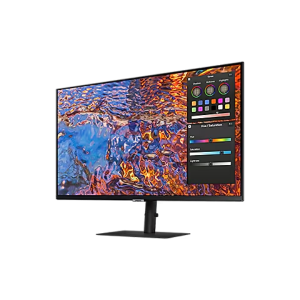
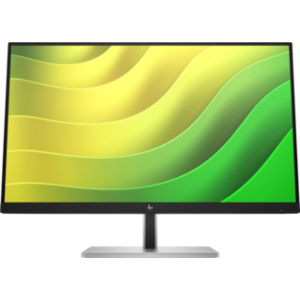
Samsung 34″ ViewFinity S5 S50GC Monitor LS34C500GAMXUE
If you’ve ever felt boxed in by a standard 16:9 monitor, the Samsung ViewFinity S5 S50GC is your upgrade. Spanning a massive 34 inches in a cinematic 21:9 ultrawide format, this monitor delivers an immersive Ultra WQHD experience that transforms how you work, create, and game — all from a sleek, flat-panel design built for today’s demanding workflows.
Whether you’re a content creator juggling multiple timelines, a developer with code editors open side by side, or a gamer who wants every edge of the map in view, this monitor from Novatech Technologies is engineered to keep up with you.
Stunning Visuals: Display Quality That Commands Attention
Resolution & Panel Performance
At the heart of the ViewFinity S5 is a 3,440 x 1,440 Ultra WQHD resolution — that’s roughly 2.3× more pixels than Full HD — spread across a 34-inch VA panel. The result is sharp, detailed imagery with text so crisp it rivals printed paper.
The VA (Vertical Alignment) panel is the key differentiator here. Unlike IPS panels that prioritize wide viewing angles at the cost of contrast, VA technology offers a remarkable 3,000:1 static contrast ratio, meaning blacks are genuinely deep and whites are brilliantly bright. Combined with 300 cd/m² typical brightness and HDR10 support, every scene — from dim dungeon crawls to sun-drenched spreadsheets — renders with exceptional depth and dimension.
The 178°/178° horizontal and vertical viewing angles ensure consistent colour accuracy whether you’re sitting squarely in front of the screen or sharing your view with a colleague beside you.
Colour & Gamut
- Max 16.7 million colours supported
- 0.72 NTSC (1976) colour gamut — wide enough for accurate creative work
- HDR10 compatibility for high-dynamic-range content
Performance Specs: Smooth, Responsive, and Fluid
Refresh Rate & Response Time
The ViewFinity S5 supports a maximum 100Hz refresh rate — a significant step up from the standard 60Hz found on most office monitors. Every scroll, animation, and cursor movement feels notably smoother. Pair that with a 5ms GTG (Grey-to-Grey) response time, and fast-moving content stays sharp without the ghosting or blurring that slower panels suffer.
AMD FreeSync Technology
FreeSync synchronises the monitor’s refresh rate to your GPU’s output in real time, eliminating screen tearing and stuttering during gaming or video playback. No need for expensive NVIDIA G-Sync hardware — FreeSync works natively with compatible AMD graphics cards and many integrated graphics solutions.
Connectivity: Simple, Versatile, and Future-Considerate
The ViewFinity S5 keeps connectivity clean and practical:
- 2 × HDMI 2.0 ports — connect your desktop PC and a gaming console simultaneously, switching between inputs without unplugging anything
- 1 × DisplayPort 1.2 — ideal for connecting your primary laptop with higher bandwidth for stable 100Hz output at full WQHD resolution
- 3.5mm headphone jack — route audio directly through the monitor to your headphones without needing a dedicated sound card
- Includes a 1.5m power cable and HDMI cable in the box, so you’re up and running immediately
One notable absence is USB-C connectivity — users who rely on single-cable docking from a USB-C laptop will need to use an adapter or a secondary cable run. This is worth factoring into your setup planning.
Eye Care & Productivity Features
Samsung has equipped the ViewFinity S5 with a thoughtful suite of features aimed at reducing fatigue during long sessions:
- Flicker Free Technology — eliminates the invisible screen flicker that causes eye strain and headaches during extended use
- Eye Saver Mode — reduces blue light emission to protect your eyes during late-night sessions without degrading image quality
- Eco Saving Plus — automatically adjusts brightness based on ambient light, cutting power consumption without any manual intervention
- Adaptive Picture — dynamically optimises brightness and contrast to suit the content on screen in real time
- Off Timer Plus — schedule the monitor to power down automatically, conserving energy when you step away and forget
Multitasking & Game Mode
Picture-in-Picture & Picture-by-Picture
The 34-inch 21:9 canvas is wide enough to run two full 16:9 sources side by side simultaneously using Picture-by-Picture (PBP) mode. Alternatively, Picture-in-Picture (PIP) lets you monitor a secondary source — say, a live stream feed or a second PC — in a smaller inset window without losing focus on your primary display. For multi-device professionals, this is a genuinely useful workflow tool.
Game Mode
Activating Game Mode optimises the monitor’s visual processing for gaming — reducing input lag, sharpening motion clarity, and prioritising fast scene rendering. Combined with FreeSync and the 100Hz refresh rate, this turns the ViewFinity S5 into a capable gaming display that punches above its price point.
Build & Ergonomics
The Samsung ViewFinity S5 arrives in an all-black finish — front, rear, and stand — giving it a clean, professional look that fits comfortably alongside most monitors and peripherals on any desk setup.
The simple tilt stand offers between -2° and +22° of vertical tilt adjustment, accommodating most seated viewing positions. For users who need more flexibility — height adjustment, swivel, or portrait rotation — the 100 × 100mm VESA-compatible mount allows the stand to be swapped out for a third-party arm or wall mount with ease.
What the stand lacks in adjustability, it compensates for with a slim, low-profile design that keeps the monitor’s footprint minimal on your desk.
Honest Drawbacks: What to Know Before You Buy
No monitor is perfect, and the ViewFinity S5 comes with a few trade-offs worth acknowledging:
- No USB-C port: Users expecting single-cable charging and data from a modern laptop will be disappointed. An adapter or additional cable is required.
- No USB Hub: You cannot expand connectivity through the monitor itself — all peripherals must connect directly to your PC.
- No built-in speakers: Audio must be routed through the 3.5mm headphone jack or handled by your PC’s own audio outputs. A separate speaker system is needed for desktop audio.
- No wireless display: There is no Miracast or Wi-Fi casting support, so wireless screen mirroring is not an option.
- Stand is tilt-only: Height adjustment and swivel are absent on the included stand, which may require purchasing a separate monitor arm for ergonomic setups.
- VA panel burn-in risk: While rare under normal usage, VA panels can be susceptible to image retention with prolonged static screen content — worth noting for users who leave dashboards or static interfaces on screen for hours at a time.
Who Is the Samsung ViewFinity S5 S50GC Built For?
This is a monitor designed for users who need more horizontal space than a standard 27-inch widescreen provides, without committing to an ultra-curved display or dual-monitor arms. It is ideal for:
- Professionals and remote workers who benefit from wide spreadsheet views, multi-window layouts, or video call + document combinations
- Casual and mid-core gamers who want a smoother, more immersive experience than a 60Hz 1080p monitor delivers
- Content creators and editors working in timeline-based software where horizontal canvas space is directly productive
- Students and researchers who keep multiple sources, browsers, and documents open simultaneously
For users looking to explore the full range of available display options, browsing the complete Samsung monitors collection or the wider monitors category at Novatech Technologies will reveal complementary options across different budgets and use cases.
The Samsung 34″ ViewFinity S5 S50GC is a well-rounded, feature-rich ultrawide that delivers professional-grade resolution, smooth refresh performance, and a genuinely useful suite of productivity and eye care tools — all at a price point that makes it accessible to a broad range of buyers. Its few limitations are predictable for its class and easily mitigated with minor peripheral additions.